
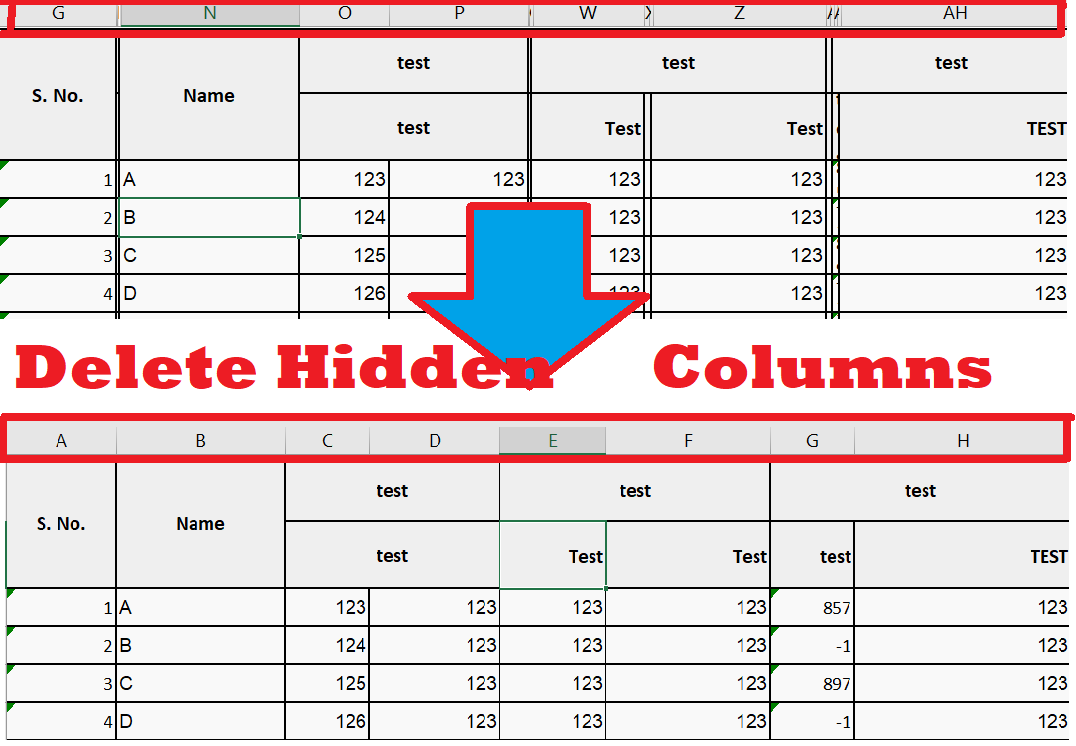
You have downloaded a excel file and having multiple hidden columns like this

Follow these steps:
1. Open That Excel file
2. Hold ALT and press F11 (ALT+F11) Key

3. Go to Insert Menu and select Module
4. Copy This Code :
6. Press Run icon and see magic.......
Follow these steps:
1. Open That Excel file
2. Hold ALT and press F11 (ALT+F11) Key
3. Go to Insert Menu and select Module
4. Copy This Code :
Sub RemoveColumn()
 i = 0
 j = 0
 For i = 10 To 15
 For j = 1 To 30
 If Worksheets(1).Cells(i, j) = "" Then
 Columns(j).EntireColumn.Delete
 End If
 Next j
 Next i
 End Sub
5. P.S :-
 variable i for rows and j for columns. I started i =10 that means it will start
 from 10th row. Worksheet(i) mean Sheet1 in your excel You can Change As per
 your requirement
6. Press Run icon and see magic.......
Full video tutorial
Leave a Comment
Your email address will not be published.
0 Comments
No comments yet. Be the first to comment.