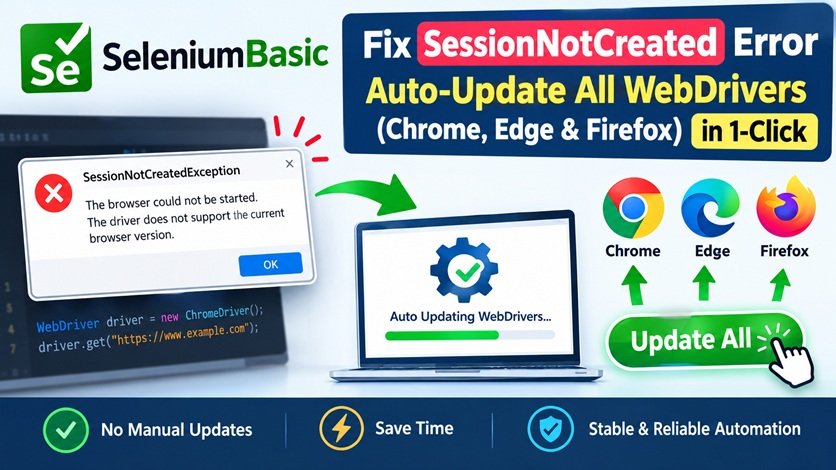
If you build web automation macros or scraping workflows using Excel VBA and SeleniumBasic, this runtime error is an all-too-familiar roadblock:
Run-time error 'SessionNotCreatedError':
session not created: This version of WebDriver only supports Browser version XYZ... Current browser version is ABC.
Modern browsers—Google Chrome, Microsoft Edge, and Mozilla Firefox—update automatically in the background. However, SeleniumBasic never updates its drivers on its own.
When any of your browsers upgrade to a newer build while the driver inside your Selenium directory remains on an older version, your automation halts immediately.
Instead of manually hunting down separate driver versions for Chrome, Edge, and Firefox, unzipping each archive, and copying them into C:\Program Files\SeleniumBasic, you can now use a single All-in-One WebDriver Auto-Updater Tool.
Why Do WebDriver Mismatch Errors Happen?
SeleniumBasic acts as an interface that speaks to browser engines through dedicated executable binaries:
- Google Chrome: chromedriver.exe
- Microsoft Edge: msedgedriver.exe
- Mozilla Firefox: geckodriver.exe
All three executables reside in your default installation path (C:\Program Files\SeleniumBasic). Whenever a browser rolls out a patch or a major version update, the older driver binary can no longer attach to the new browser session, causing the SessionNotCreated crash.
The Solution: All-in-One Multi-Browser Driver Updater
This lightweight utility features an interactive menu that lets you update drivers individually or patch all three browsers simultaneously with a single keypress:
CMD
========================================
SeleniumBasic Webdriver Auto-Updater
========================================
1. Chrome (chromedriver)
2. Edge (msedgedriver)
3. Firefox (geckodriver)
4. Update ALL Drivers
Q. Quit
----------------------------------------
(Option 4 automatically detects installed browser builds, fetches official releases, and replaces all three driver binaries in seconds).
What the Tool Handles Automatically:
- Google Chrome (chromedriver.exe): Queries Chrome for Testing endpoints, reads your local Chrome build, and drops the exact matching 64-bit driver into place.
- Microsoft Edge (msedgedriver.exe): Reads the Edge registry build, connects directly to Microsoft's EdgeDriver repository, and replaces msedgedriver.exe.
- Mozilla Firefox (geckodriver.exe): Checks GitHub release APIs for the latest stable GeckoDriver build and keeps Firefox automation current.
- Administrator Privileges: Elevated permissions run out of the box to write cleanly into protected directories like C:\Program Files\SeleniumBasic.
Download the All-in-One Driver Updater
Get the complete tool ready to run on any Windows system:
📥 Download SeleniumBasic All-in-One WebDriver Updater (.zip)
(Package contains the updater engine and the 1-click administrator launcher)
Step-by-Step Guide
- Extract the ZIP Archive: Download the archive from the link above and extract the folder anywhere on your computer.
- Close Active Browsers: Close any open instances of Chrome, Edge, or Firefox so Windows doesn't lock the executable files.
- Run the Tool: Right-click the launcher and select Run as Administrator (or double-click the .bat launcher).
- Choose Your Option:
- Press 1 to update only Chrome.
- Press 2 to update only Edge.
- Press 3 to update only Firefox.
- Press 4 to Update ALL Drivers in one run.
- Instant Success: The utility scans your system, downloads the matching driver versions, replaces them in C:\Program Files\SeleniumBasic, and confirms completion:
CMD
SUCCESS: Updated chromedriver.exe in C:\Program Files\SeleniumBasic
SUCCESS: Updated msedgedriver.exe in C:\Program Files\SeleniumBasic
SUCCESS: Updated geckodriver.exe in C:\Program Files\SeleniumBasic
Finished.
- Resume Automation: Re-open your Excel workbook and execute your VBA scraping macros—all sessions will start cleanly without driver mismatch errors.
Why Every VBA / Selenium Developer Needs This
- Universal Compatibility: One centralized script covers Chrome, Edge, and Firefox.
- Zero Manual Searching: No more navigating third-party driver repositories or dealing with mismatched 32-bit/64-bit releases.
- Instant Recovery: Fixes broken client workflows or office automation scripts in under 10 seconds.
Leave a Comment
Your email address will not be published.
0 Comments
No comments yet. Be the first to comment.